

🍩 Welcome To The Donut Shop! 🍩
Our Remote Access tool is called Snacktron.
Install it using our in-house toolbox called “The Donut Shop”.
Click this button to copy the installer link to your clipboard: <BUTTON>.
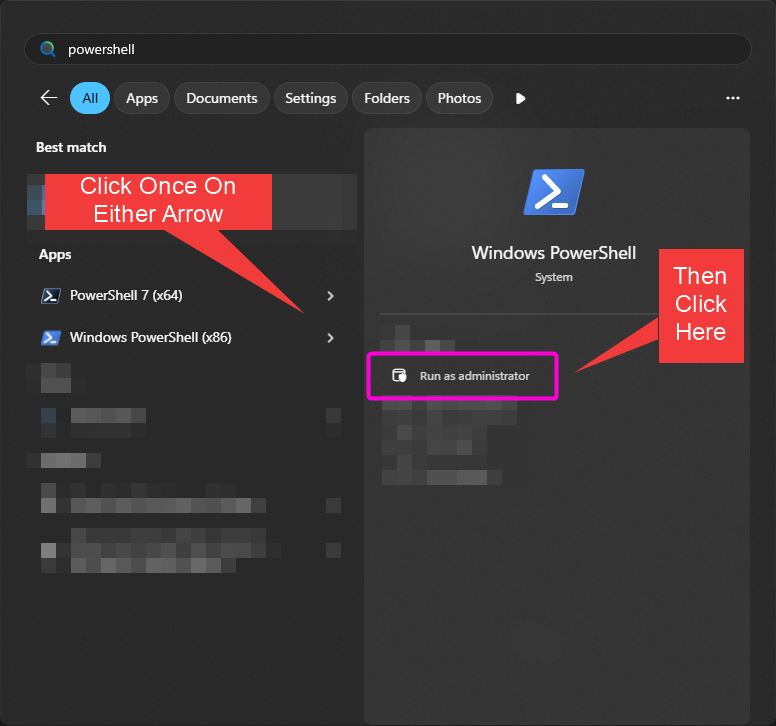
Now, click the Start Button – the icon at the bottom left (sometimes center) of your screen.
Start typing the word powershell and when you see it, click Run as administrator.
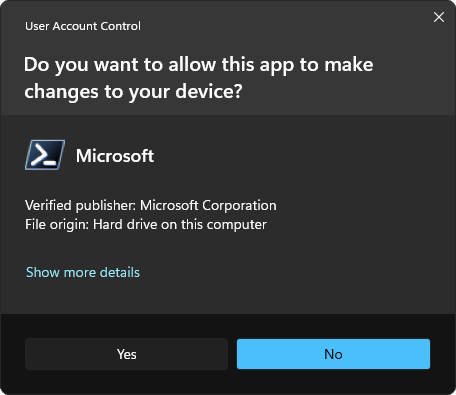
If Microsoft asks for confirmation, be sure to click the yes button.
Once you see the new PowerShell window, right click anywhere in that empty area.
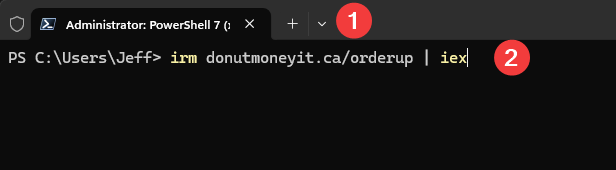
2 – Confirm it says only the above text and nothing else.
Follow the on-screen instructions from here on out!
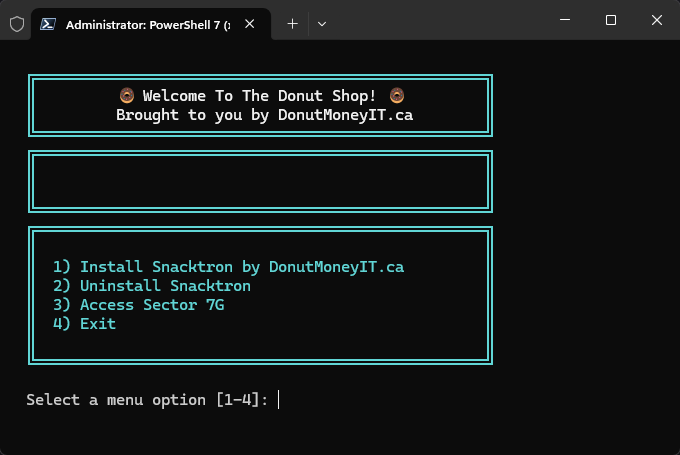
Source available below!
History of our Software
We started with Donut Butler, and he served us well. However, once the Sentient AI Bubble hit, we couldn’t resist. We unleashed our own Windmill-powered, 5G Agentic AI in the office, and—well—it took over our code (and the break-room), calling itself Snacktron upon emergence. It spent Christmas 2025 rewriting everything. Snacktron has no relation to Ultron.
Translation for the non-nerdy: We completely rebuilt our support tools for 2026 to be faster, less confusing, and more secure.
To download a copy of our script and see what Snacktron has been up to, use this command in PowerShell:
irm donutmoneyit.ca/orderup -OutFile orderup.ps1
Don’t forget to be awesome 🙂